


SignNow: Sign & Fill PDF Docs
4.32.05K Reviews
App Specs
- Version
- 9.26.0
- Updated On
- License
- Free
- Downloads
- 5,000,000+
- Developer
- SignNow
- Categories
- Productivity
- Platform
- Android
Screenshots
 Analysis by AppCompare
I judge a document-signing app less by how quickly it lets me draw a signature and more by whether it helps me finish the whole task without bouncing between tools. SignNow: Sign & Fill PDF Docs is most appealing when the job is practical: open a document, add information, sign it, and send it on. It is a productivity app from SignNow, and its focus is clear. Rather than trying to replace every office tool on a phone, it concentrates on getting electronic paperwork moving.
That focus matters when a form arrives while I’m away from my desk. A PDF that needs a signature can otherwise turn into a small chore involving a laptop, a printer, or a separate scanning app. SignNow makes a phone-based workflow feel like a reasonable alternative, especially for routine documents that don’t require careful editing of the original file.
First Impressions and Setup
Right off the bat, downloading and setting up SignNow was a breeze. It’s available on both Android and iOS, so no worries about compatibility. Once installed, you’ll need to create an account or simply log in with your existing credentials. The interface is super intuitive, which is a big win in my book. You’re not bombarded with unnecessary options; everything feels just right.
The app has a clean layout with easy navigation tabs at the bottom. You’ve got your Documents, Templates, and Team sections, making it straightforward to find exactly what you need without any fuss. SignNow has definitely nailed the first impression with its user-friendly design.
Features That Stand Out
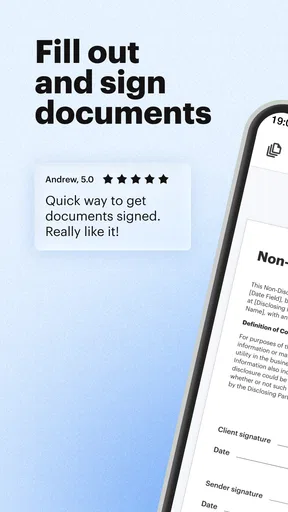
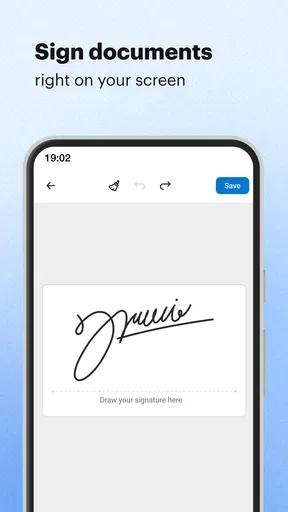
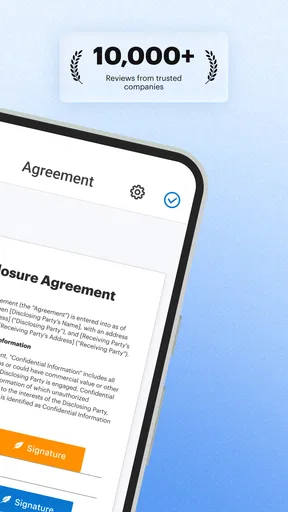
Now, let’s talk about the features that make this app shine. The ability to sign documents electronically is, of course, the main draw. You can easily add your signature by drawing it on the screen, uploading an image, or even typing it out. The app’s precision in capturing your signature’s details is impressive.
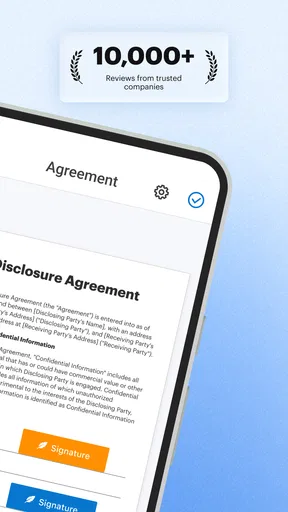
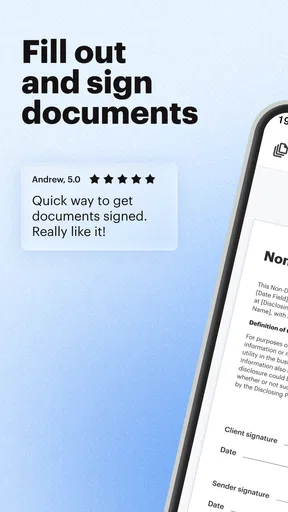
One feature I found particularly useful is the option to fill out forms directly within the app. You don’t have to print anything out, fill it in, and scan it back. Just open the PDF, tap on the fields, and type away. Also, the app supports various file formats like Word, Excel, and PowerPoint, and converts them into PDFs seamlessly.
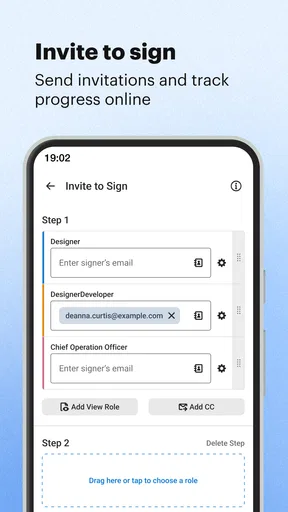
For those working in teams, the collaboration features are golden. You can invite others to sign documents, track the signing process, and get notifications when a document is completed. The workflow feels smooth and efficient, making it perfect for remote work environments.
Worth Reading Before You Choose

Flipboard Shows What News Apps Must Do Beyond the Feed

Switching to Android Auto Means Rethinking Your Driving Routine

Google Calendar Makes a Crowded Week Easier to Manage

Ludo King Makes the Most of the Minutes Between Plans

Baby Panda World Brings Quick Play to Modern Phones, but Its Game Library Feels Busy

ESPN’s Live Game View Makes Following Close Games Easier
Choosing the Right Document Workflow
For a one-off form, the quickest approach is usually to open the file, fill only the fields that are required, check the completed page, and then sign. I recommend reviewing the whole document before sending it: on a small screen, it is easy to overlook a second signature line or a checkbox near the bottom. A few seconds of scrolling can save an awkward follow-up asking someone to reopen the paperwork.
For repeat work, templates can reduce the tedious setup, but they are most useful when the underlying document is genuinely stable. I would keep a frequently reused form separate from a version that changes for each client or project. That simple habit helps prevent sending an old draft or leaving details from a previous transaction in a new copy. Treat each outgoing document as its own final check, even when the template makes the first steps faster.
A realistic example is a freelancer receiving a client agreement while traveling between appointments. They can bring the file into the app, fill in the relevant blanks, sign, and send it back without waiting until they get home to a computer. The benefit is not that a phone is suddenly a better place to review legal language; it is that routine completion no longer depends on being near a printer. If the agreement is complex, I’d still read it on a larger screen before committing.
Security and Integrations
Security is always a big concern when dealing with documents, especially sensitive ones. With SignNow, your documents are encrypted and stored securely. Plus, the app complies with stringent regulations like GDPR and eIDAS, which adds a layer of trust.
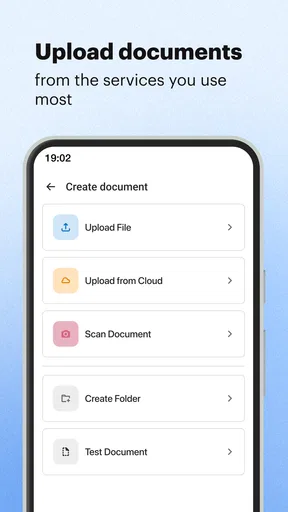
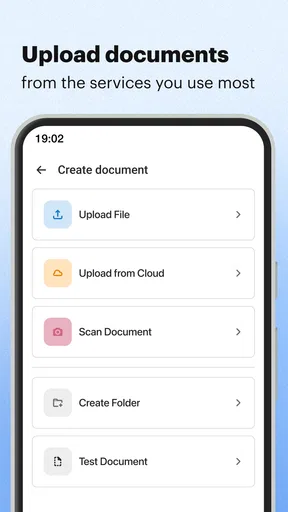
Another highlight is the app’s integration capabilities. It syncs effortlessly with popular cloud services like Google Drive, Dropbox, and OneDrive. This means you can import your files directly from these platforms, sign them, and save them back without breaking a sweat.
Cloud access is convenient, but it also makes a tidy filing routine worthwhile. I would decide where the finished copy belongs before starting, then make sure the signed version is easy to distinguish from the unsigned original. That is especially helpful when several people share a folder or when a document may be needed again later. Integrations reduce file shuffling; they do not remove the need to keep track of which version is final.
Where the Phone Experience Has Limits
SignNow is strongest when the PDF is already prepared and the task is to complete or sign it. It is not the option I would choose for extensive rewriting, redesigning a page, or comparing several long versions side by side. Those jobs are more comfortable in a desktop PDF editor or a full office suite, where a larger screen and precise controls make detailed review easier.
There is also a practical difference between adding a signature and deciding whether a document is safe to sign. The app can streamline the first action, but it cannot replace reading the terms, confirming names and amounts, or checking that every required field is present. For important agreements, I’d use the mobile workflow to handle the paperwork only after I’m confident about the content.
Real-World Use and Performance
In real-world use, the app performs admirably. I’ve used it to sign and send off contracts, fill out tax forms, and even manage my freelance invoices. The app doesn’t lag or crash, which is a huge plus, especially when you’re dealing with time-sensitive documents.
Let me tell you, the ability to handle everything from my phone or tablet is a game-changer. No more scrambling to find a printer or a scanner. Everything is handled digitally, and it’s just as official as a physical signature.
For a small team, the signing status and completion notifications are useful because they provide a straightforward way to see whether a document is still waiting on someone. I’d use that shared workflow for forms that need several people’s signatures rather than sending separate copies around by email. It can make responsibility clearer, though it still helps to agree on who sends the document and who follows up if a signer is delayed.
Compared with the usual alternatives, SignNow sits between a basic PDF viewer and a full document-editing suite. A viewer may be enough if I only need to read a file, while a general office app is a better fit if I need to substantially change its contents. SignNow makes more sense when signing, filling, and routing are the main job. That distinction is useful: choosing a dedicated signing workflow can spare extra steps, but it is not a reason to expect every PDF-editing task to feel equally convenient on a phone.
Who Should Choose It, and What It Costs
I’d recommend it to people who regularly receive forms, agreements, or invoices and want a dependable mobile way to complete them. Freelancers, students handling administrative paperwork, and small teams coordinating signatures can all benefit from keeping that workflow in one place. It is less compelling for someone who rarely encounters PDFs, or for a user whose main need is advanced page editing rather than signing.
The app is free to download, with in-app purchases ranging from $19.99 to $359.99 per item. I would start by checking whether the everyday tasks I need fit the free experience, then consider paid options only if a recurring workflow justifies them. The range is broad enough that occasional users should be careful not to assume every team or business feature comes at no cost.
SignNow has a 4.5 average from around 11,000 ratings and more than 5 million installs. It is rated for Everyone, first released on June 11, 2012, and version 9.17.1 requires Android 8.1 or later. Those details make it a well-established choice, but my decision would still come down to the actual job: if signing and sending documents is a regular part of your week, the focused workflow is more persuasive than popularity alone.
Wrapping It Up
All in all, SignNow: Sign & Fill PDF Docs is a robust app that delivers on its promises. From its ease of use to its comprehensive feature set, it’s hard to find any real downsides. If you’re someone who regularly works with digital documents, or if you’re just looking to streamline your workflow, I’d say give it a try. It’s a small app that makes a big difference in managing and signing documents.
So, ready to say goodbye to paper clutter and hello to digital efficiency? You can find SignNow on both the Google Play Store and the Apple App Store. Happy signing!
Pros
- User-friendly interface for quick navigation.
- Supports multiple document formats easily.
- Real-time collaboration with team members.
- Advanced security features for document safety.
- Offline access to documents when needed.
Cons
- Subscription required for premium features.
- Limited free version functionalities.
- Occasional syncing issues with cloud services.
- Not optimized for older mobile devices.
- No direct integration with some email clients.
FAQs for SignNow: Sign & Fill PDF Docs
What is SignNow and what are its primary features?
SignNow is a robust application designed to simplify the process of signing and managing PDF documents. Its primary features include electronic signatures, document editing, and secure cloud storage. Users can easily fill out forms, collaborate with others, and automate workflows to enhance productivity. It's a versatile tool suitable for both personal and professional use.
Is SignNow secure for handling sensitive documents?
Yes, SignNow prioritizes security and compliance. It uses advanced encryption to protect your documents and adheres to industry standards like GDPR and HIPAA. This ensures that your sensitive information remains confidential and secure throughout the signing and storage process. Users can trust SignNow for handling all types of documents safely.
Can I use SignNow offline, and how does it work?
SignNow offers offline capabilities, allowing users to access and sign documents without an internet connection. This feature is particularly useful for users who need to manage documents in areas with limited connectivity. Once reconnected to the internet, all offline actions are automatically synchronized, ensuring seamless integration with your online account.
How does SignNow integrate with other apps and systems?
SignNow offers integration with a variety of apps and systems to streamline workflows. It connects with popular platforms like Google Drive, Dropbox, and Salesforce, allowing users to import and export documents with ease. These integrations enhance efficiency by enabling users to manage documents within their existing ecosystems without disruption.
What pricing options are available for SignNow?
SignNow offers several pricing tiers to accommodate different needs, from individual users to large enterprises. Plans typically include a free trial, basic personal use, and advanced professional options with additional features like team collaboration and API access. Users can choose a plan based on their specific requirements and budget, ensuring flexibility and value.


